Skip to course content
Reach out to us

Build your career with us

brototye_logo

BROTHER YOU NEVER HAD


Packapeer Academy Pvt Ltd

Start from zero

FDE Basics.
Build your first
real app.

Web, mobile & AI engineering

Go from zero coding experience to a deployed app with AI chat, a RAG assistant and an MCP server.

Get course details, schedules and upcoming batch information.
  • No coding experience needed
  • Live expert-led sessions
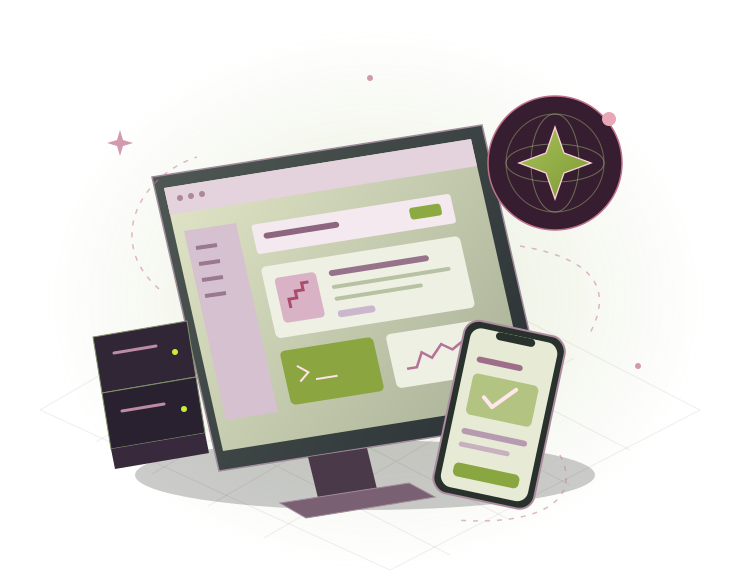
A connected web dashboard and mobile app with AI assistance
WEBMOBILEAI

One app.
A complete engineering journey.

Learn the foundations of modern app development, ship your first application, then add AI capabilities.

Web + backend

  • A responsive web interface
  • A React application connected to live data
  • A working REST API
  • Authentication and persistent user data

Mobile + deployment

  • A cross-platform mobile app
  • A deployed web application and API
  • A mobile build prepared for testing

AI features + RAG

  • An AI-powered feature integrated into your app
  • A RAG assistant that answers from your own data

Tools for AI agents

  • An MCP server that lets AI agents use your app

Two schedules.
Choose your pace.

Every module includes a live session, a hands-on assignment, and mentor review and feedback. Assignments fit around college or a full-time job.
About 6 months

24 weeks · 2 live hours each week

Saturday or Sunday

How this track works

A two-hour session on the day you choose. Live teaching, hands-on assignments and mentor feedback.
About 4 months

16 weeks · 3 live hours each week

Monday, Wednesday & Friday

How this track works

Three one-hour sessions on alternate days. Live teaching, hands-on assignments and mentor feedback.

Learn. Build. Deploy.
Add AI. Demo.

Start with web and mobile foundations, then learn how LLMs work and build AI chat, RAG over your own data, MCP servers and simple agents.

Part 1 · Modules 01–08

Build and ship

8 modules
Module 01Developer Foundations and Tooling
  • How the web works: HTTP, DNS, client-server
  • VS Code, the terminal, Git and GitHub
YOU BUILD

Your dev setup and first GitHub repository

Module 02HTML5, CSS3 and Responsive Design
  • Structure: semantic HTML5, forms, accessibility basics
  • Layout: Flexbox, CSS Grid, mobile-first design
  • Styling: Tailwind CSS utility classes
YOU BUILD

A responsive personal portfolio site

Module 03JavaScript Fundamentals
  • Core: variables, functions, arrays, objects, ES6+ modules
  • Browser: DOM, events, localStorage
  • Async: promises, async/await, fetch, JSON
YOU BUILD

An interactive app powered by a public API

Module 04React for the Web
  • Components: JSX, props, state, lists, conditionals
  • Hooks: useState, useEffect, custom hooks
  • Routing and data: React Router, forms, loading states
  • Tooling: Vite, npm
YOU BUILD

A multi-page React app with live data

Module 05Backend with Node.js and Express
  • Node.js: runtime, npm, modules
  • Express: routes, middleware, CRUD REST APIs
  • Testing: Postman, input validation, error handling
YOU BUILD

A REST API for your project

Module 06Databases and Authentication
  • Databases: MongoDB Atlas, Mongoose, SQL basics
  • Auth: password hashing, JWT, protected routes
  • Config: environment variables, Firebase and Supabase
YOU BUILD

Your API with sign-up, login and saved user data

Module 07Mobile Apps for iOS and Android
  • Expo: React Native setup, Expo Go on your phone
  • UI: core components, FlatList, Expo Router
  • Device APIs: camera, location, notifications
  • Data: SecureStore, calling your API with auth
  • Native tour: SwiftUI and Jetpack Compose
YOU BUILD

A multi-screen app on your phone, connected to your backend

Module 08Hosting, Deployment and App Release
  • Web: Vercel, Render, custom domains, SSL
  • CI/CD: GitHub Actions, secrets, AWS basics
  • Mobile: EAS Build, TestFlight, Play Console
YOU BUILD

Your app live on the web and in testing on iOS and Android

Part 2 · Modules 09–14

AI engineering

6 modules
Module 09LLM Fundamentals and Prompt Engineering
  • How LLMs work: tokens, context windows, hallucinations
  • Models: Claude, GPT, Gemini, open models via Ollama
  • Settings: system prompts, temperature, max tokens
  • Prompting: instructions, few-shot examples, formats
YOU BUILD

A prompt library tested across three models

Module 10AI-Assisted Development
  • Assistants: Claude Code, Cursor, GitHub Copilot
  • Spec-driven: write a spec, AI builds, you review the diff
  • Prototyping: v0, Lovable, Bolt
YOU BUILD

A feature built by AI from your written spec

Module 11Building AI Features into Apps
  • LLM APIs: Claude and OpenAI, keys kept on the server
  • Vercel AI SDK: streamText and useChat on web and mobile
  • Structured output: typed JSON validated with Zod
  • Tool calling: the model calls your own functions
YOU BUILD

A streaming AI chat with tool calls in your web and mobile app

Module 12Retrieval-Augmented Generation (RAG)
  • Embeddings: turning text into searchable vectors
  • Pipeline: chunk, embed, store, retrieve, generate
  • Vector search: MongoDB Atlas Vector Search
  • Quality: citations, relevance scores, grounded answers
YOU BUILD

A Q&A assistant that answers from your own documents

Module 13AI Agents and MCP
  • Agents: plan → call a tool → observe → repeat
  • MCP basics: hosts, clients, servers, tools, resources
  • Using MCP: connect servers to Claude and Cursor
  • Building MCP: your own server with the TypeScript SDK
  • Safety: step limits, read-only tools, human approval
YOU BUILD

An MCP server that lets AI agents use your app

Module 14Testing, Security and Cost of AI Apps
  • Evals: test sets, expected answers, LLM as a judge
  • Security: prompt injection, data leaks, DPDP Act
  • Cost: token budgets, caching, rate limits, fallbacks
YOU BUILD

An eval set and a security checklist for your AI features

Bring it all together.

Your own app idea or a brief, mentor design review, Demo Day and portfolio review.

A web and mobile app with AI chat, RAG and an MCP server, deployed and demoed live.

The tools you’ll use

VS CodeGit & GitHubReactTailwindNode.jsExpressMongoDBReact NativeExpoVercelGitHub ActionsClaudeOpenAIOllamaVercel AI SDKZodAtlas Vector SearchMCPClaude CodeCursorGitHub Copilot

Learn live.
Build with feedback.

Every session is led live by an experienced industry engineer. Apply each lesson through a hands-on assignment and mentor review.

Live online instruction

Build-and-ship foundations, applied AI engineering, and a final capstone.

Hands-on assignments

Build an application progressively, from your first repository to deployed web, mobile and AI capabilities.

Mentor review and feedback

Review implementation decisions with practitioners, then present your application at Demo Day.

Online Live Session

+91 7034 395 811 ↗

Start with your idea

Your first app
starts here.

Talk to admissions about the FDE Basics projects, learning schedules, and upcoming batches.

+91 7034 395 811 ↗

admissions@brototype.com

Let’s talk about your goals

Talk to Admissions

Select your country, then enter your phone number.
Preferred schedule (optional)

We’ll contact you about the course. Read our Privacy Policy.

Your questions, answered.

What is FDE Basics?

FDE Basics is a live web, mobile and AI engineering program. You start with no coding experience and build a deployed, AI-powered application.

Do I need coding experience?

No. Every topic is taught from the basics up. The course is for students, fresh graduates, career switchers with no coding background, and professionals who want to build their own apps.

What are the two schedules?

The weekend track has one two-hour session on Saturday or Sunday across 24 weeks, about six months. The weekday track has three one-hour sessions on Monday, Wednesday and Friday across 16 weeks, about four months. Both tracks follow the same syllabus.

How is the course structured?

Modules 01–08 cover building and shipping your application. Modules 09–14 cover AI engineering. The capstone and Demo Day bring everything together.

How does each module work?

A live session on Google Meet is followed by a hands-on assignment, then mentor review and feedback. Sessions run in group batches, and assignments fit around college or a full-time job.

What will I build?

A responsive web interface, a React app with live data, a REST API with authentication and persistent data, a cross-platform mobile app, deployed web and API services, a mobile testing build, an AI-powered feature, a RAG assistant and an MCP server.

Which AI tools and techniques are covered?

LLM fundamentals cover Claude, GPT, Gemini and open models via Ollama. AI-assisted development includes Claude Code, Cursor, GitHub Copilot, v0, Lovable and Bolt. You build with Claude and OpenAI APIs, Vercel AI SDK, Zod, Atlas Vector Search and the MCP TypeScript SDK.

Will I publish a mobile app to the stores?

The release module covers EAS Build, TestFlight and Play Console. The brochure deliverable is a mobile build prepared for testing on iOS and Android.

What happens at Demo Day?

Bring your own app idea or work from a brief. The capstone includes mentor design review, Demo Day and portfolio review. You deploy and demonstrate a web and mobile app with AI chat, RAG and an MCP server.

FDE Basics

Talk to Admissions

Explore the course, learning schedules and upcoming batches.

Select your country, then enter your phone number.
Preferred schedule (optional)

We’ll contact you about the course. Read our Privacy Policy.

FDE Basics

Download Curriculum

Explore the complete 14-module course roadmap.

Select your country, then enter your phone number.

Your curriculum link appears after confirmation. Read our Privacy Policy.